iSpring Suite 11.11.0.3: Transform PowerPoint Into Engaging Online Courses 🖥️✨
Creating compelling online training, interactive courses, or engaging presentations can be daunting—especially if you’re not a programmer. iSpring Suite 11.11.0.3 is a powerful eLearning authoring toolkit that seamlessly integrates with Microsoft PowerPoint, allowing you to transform your existing slides into rich, interactive, SCORM-compliant eLearning content.
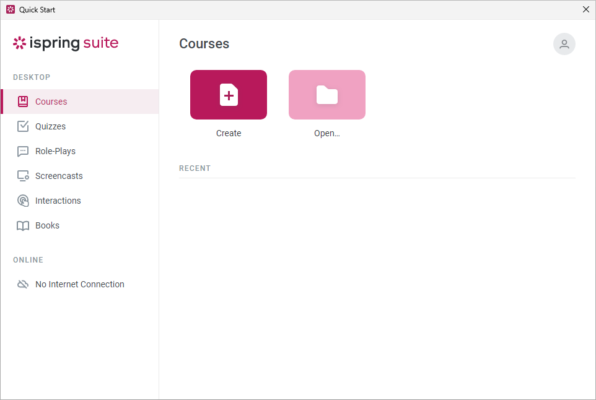
Whether you’re an instructional designer, corporate trainer, educator, or content creator, iSpring Suite empowers you to deliver professional eLearning experiences without writing a single line of code.
🎯 Why Choose iSpring Suite?
- ✅ PowerPoint Integration: Use your existing slides as a foundation
- ✅ No Programming Required: Intuitive tools for non-technical users
- ✅ SCORM & xAPI Compliance: Publish to any LMS (Moodle, Canvas, etc.)
- ✅ Interactive Elements: Add quizzes, scenarios, video lectures, and more
- ✅ Professional Output: High-quality, responsive eLearning modules
- ✅ Built-in Tools: Includes Quiz Maker, Video Maker, and more
Perfect for corporate training, academic courses, certification programs, and professional development.
✨ Key Features of Version 11.11.0.3
📖 1. Interactive Course Creation
- Convert static slides into engaging, multimedia lessons
- Add audio narration, video, and interactive elements
- Create branching scenarios for personalized learning paths
- Use templates and themes for professional design
🧠 2. Advanced Quiz & Assessment Tools
- Build various question types (multiple choice, true/false, drag-and-drop, etc.)
- Create graded and survey quizzes
- Add feedback, hints, and randomization
- Generate detailed quiz reports for analysis
🎬 3. Video & Recording Features
- Record narrated video lectures directly within the tool
- Import existing videos and add interactive elements
- Simulations and screen recordings for software training
- Video player customization options
📱 4. Responsive & Mobile-Friendly Output
- Courses automatically adapt to desktop, tablet, and mobile devices
- HTML5 output ensures compatibility across browsers
- Offline viewing capabilities (if enabled)
🔗 5. LMS Integration & Publishing
- Publish directly to your Learning Management System (LMS)
- SCORM 1.2, SCORM 2004, AICC, xAPI (Tin Can) support
- Easy upload and tracking of learner progress
- ZippyMe for sharing courses without an LMS
🛠️ 6. Collaboration & Review
- iSpring Reviewer: Share courses for feedback and comments
- Team collaboration features
- Asset library for managing content elements
🛠️ Ideal For:
- Corporate Trainers: Develop employee training and onboarding modules
- Educators: Create online courses and interactive lessons
- Instructional Designers: Build professional eLearning content
- Subject Matter Experts: Share knowledge through structured courses
- Anyone: Looking to create online training from PowerPoint
💡 Tip: Use the Quiz Maker to add knowledge checks and make your courses more engaging and effective.
🆚 iSpring Suite vs. Other eLearning Tools
iSpring Suite offers outstanding PowerPoint integration with a user-friendly interface.
💡 Final Thoughts: Author eLearning Effortlessly
iSpring Suite 11.11.0.3 democratizes eLearning creation by leveraging the familiarity of PowerPoint. It transforms the process from complex and time-consuming to straightforward and efficient, enabling anyone to create professional, interactive online courses.
🎓 Create. Engage. Learn.
🌐 Official website: https://www.ispringsolutions.com (Note: Verify exact product page for iSpring Suite 11.11.0.3)
💻 Compatible with Windows (requires Microsoft PowerPoint).
✔ Tested: This software was tested on Windows 10 & Windows 11 and works smoothly without issues.
Frequently Asked Questions
- Is this software free?
Yes, it can be downloaded and used for free. - Does it support Windows 11?
Yes, it works perfectly on Windows 10 and 11. - Is it safe to use?
Yes, the software was scanned and tested before publishing.
Last updated: January 2026