
AnyMP4 DVD Creator 7.3.22 Overview
AnyMP4 DVD Creator 7.3.22 is a versatile and user-friendly DVD authoring software that allows you to create professional-quality DVDs from video files in various formats. Whether you want to back up your video collection, create custom movie discs, or share family videos, this software provides all the essential tools to design and burn DVDs easily and efficiently.
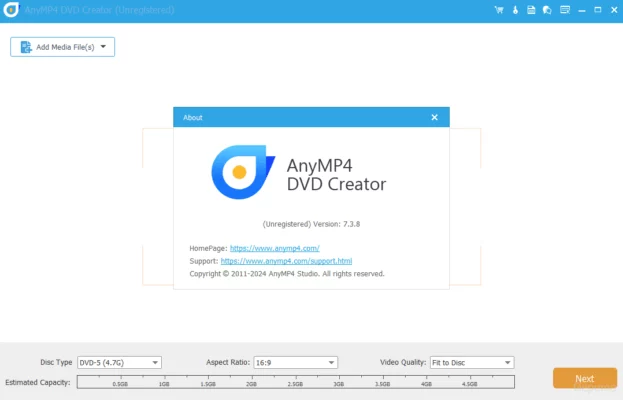
With support for popular video formats such as MP4, AVI, MOV, MKV, WMV, and MTS, the program ensures compatibility with nearly any video file. It also allows users to add personalized menus, subtitles, and audio tracks, giving your DVDs a polished, cinematic look.
Key Features of AnyMP4 DVD Creator 7.3.22
1. Wide Format Support
The software supports a vast range of input formats, including HD and SD videos. You can import files from your computer, camcorders, or mobile devices and convert them into a high-quality DVD video.
2. Customizable DVD Menus
AnyMP4 DVD Creator offers multiple menu templates for different themes such as weddings, holidays, and family events. You can customize backgrounds, add music, and insert titles to make your disc unique.
3. Subtitle and Audio Track Integration
Users can add external subtitles and multiple audio tracks to their videos. The program supports popular subtitle formats like SRT, ASS, and SSA, making it easy to create multilingual DVD projects.
4. Built-in Video Editor
Before burning, you can enhance your videos using the integrated editor. Features include trimming, cropping, rotating, adjusting brightness, and adding watermarks or filters to achieve the best possible result.
5. Fast Burning with High Quality
Thanks to advanced encoding technology, AnyMP4 DVD Creator delivers fast performance while maintaining the original video quality. You can burn your project to DVD disc, DVD folder, or ISO file for future use.
How to Use AnyMP4 DVD Creator
Add your video files – Import videos by dragging and dropping them into the interface.
Customize your menu – Choose a menu template and personalize it with text, music, or images.
Edit videos – Trim, crop, or enhance video quality using the editing tools.
Add subtitles and audio – Import multiple subtitles and audio tracks if needed.
Preview and burn – Review your project and click “Burn” to create your DVD or ISO file.
Why Choose AnyMP4 DVD Creator 7.3.22?
This version offers improved stability, faster encoding, and enhanced compatibility with Windows 11. It’s ideal for users who want professional DVD creation without the complexity of expensive editing software. Whether you are producing a home movie collection or distributing content, AnyMP4 DVD Creator provides a reliable, high-quality solution.
System Requirements
OS: Windows 11, 10, 8, 7 (32-bit or 64-bit)
Processor: Intel or AMD 1GHz or above
RAM: 1GB minimum (2GB recommended)
Free Disk Space: 200MB for installation
Conclusion
AnyMP4 DVD Creator 7.3.22 combines ease of use, flexibility, and powerful features to deliver a complete DVD authoring experience. Its intuitive interface, wide format support, and customizable templates make it perfect for both beginners and professionals who want to turn videos into beautifully designed DVDs.
✔ Tested: This software was tested on Windows 10 & Windows 11 and works smoothly without issues.
Frequently Asked Questions
- Is this software free?
Yes, it can be downloaded and used for free. - Does it support Windows 11?
Yes, it works perfectly on Windows 10 and 11. - Is it safe to use?
Yes, the software was scanned and tested before publishing.
Last updated: January 2026