AkelPad 4.10.0.2: The Lightweight, Efficient Text Editor for Everyday Use 🖥️✨
Looking for a fast, reliable, and lightweight text editor that doesn’t bog down your system? AkelPad 4.10.0.2 is a free, open-source application designed for simplicity, speed, and efficiency. Whether you’re editing code, viewing log files, or working with plain text documents, AkelPad delivers smooth performance with a minimal footprint.
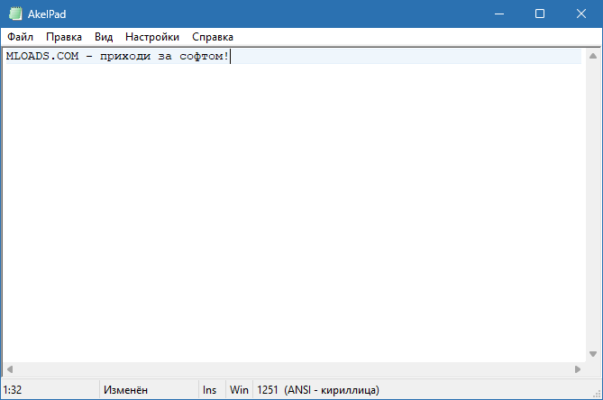
Unlike heavy IDEs or bloated editors, AkelPad focuses on core text editing, making it ideal for users who value reliability and speed over flashy features.
🎯 Why Choose AkelPad?
- ✅ Extremely lightweight – minimal RAM and CPU usage
- ✅ Open-source & free – no cost, no ads, no bloat
- ✅ Supports large files – handles multi-megabyte logs seamlessly
- ✅ Plugin architecture – extend functionality as needed
- ✅ Portable version available – run from USB without installation
- ✅ Multi-view & multi-session – work on multiple files efficiently
Perfect for developers, system administrators, writers, and anyone needing a fast, no-frills text editor.
✨ Key Features of Version 4.10.0.2
📄 1. Efficient Text Editing
- Fast startup and responsive performance
- Syntax highlighting for dozens of programming languages
- Find & Replace with regular expression support
- Multi-line editing and column selection
🔍 2. Large File Handling
- Can open and edit very large files (GBs) without crashing
- Memory-efficient loading and editing
- Ideal for log files, dumps, and raw data
🧩 3. Plugin & Scripting Support
- Extend functionality with plugins (written in C/C++, Lua, etc.)
- Built-in plugin manager for easy installation
- Customize behavior with scripts
🎨 4. Flexible User Interface
- Tabbed interface for multiple files
- Customizable toolbars and menus
- Themes and color schemes (optional)
- Dockable panels for file browser, projects
🌐 5. Encoding & Format Support
- Handles UTF-8, UTF-16, ANSI, and more
- Line ending conversion (Windows, Unix, Mac)
- Hexadecimal view for binary files (optional plugin)
🛠️ Ideal For:
- Developers: Quick code edits, configuration files
- System Admins: View and edit logs, scripts, configs
- Writers: Draft plain text notes or outlines
- Anyone: Who needs a fast, reliable editor without distractions
💡 Tip: Use the portable version to carry your editor and settings on a USB drive.
🆚 AkelPad vs. Other Text Editors
AkelPad offers the best balance of size, speed, and extensibility for core text editing.
💡 Final Thoughts: Edit Faster, Work Smarter
AkelPad 4.10.0.2 proves that powerful text editing doesn’t require a heavy application. By focusing on speed, stability, and essential features, it remains a top choice for users who prioritize performance and control.
📝 Lightweight. Reliable. Efficient.
🌐 Official website: https://akelpad.sourceforge.io (Note: Hosted on SourceForge)
💻 Compatible with Windows 11/10/8.1/8/7/Vista/XP (32-bit & 64-bit) – 100% free, open-source.
✔ Tested: This software was tested on Windows 10 & Windows 11 and works smoothly without issues.
Frequently Asked Questions
- Is this software free?
Yes, it can be downloaded and used for free. - Does it support Windows 11?
Yes, it works perfectly on Windows 10 and 11. - Is it safe to use?
Yes, the software was scanned and tested before publishing.
Last updated: January 2026