📸 Overview of LibRaw RawDigger 1.4.9.821
LibRaw RawDigger 1.4.9.821 is a professional-grade software designed for deep analysis of RAW image files. Built on the powerful LibRaw library, this tool gives photographers, color scientists, and imaging professionals full access to the raw sensor data captured by a camera.
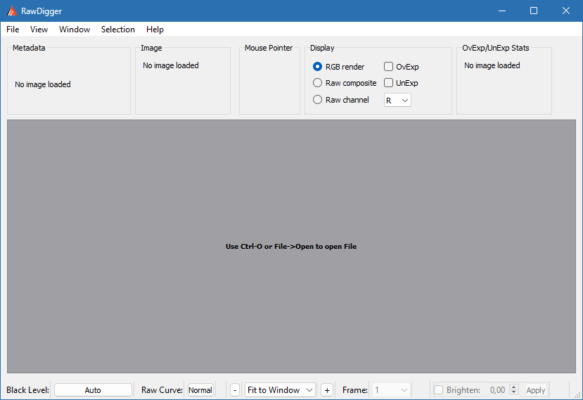
Unlike standard image editors, RawDigger doesn’t process or alter the image — it allows you to inspect the unmodified pixel data, making it perfect for precise exposure evaluation, white balance calibration, and sensor performance testing. Whether you’re shooting with Canon, Nikon, Sony, Fujifilm, or any other major brand, RawDigger supports a massive range of RAW formats. 🎞️
🌟 Key Features
🔍 Deep RAW Data Inspection:
View and analyze the actual unprocessed data straight from your camera’s sensor.📈 Exposure Evaluation:
Detect overexposure and underexposure precisely using detailed histogram and channel readouts.🎨 Channel Visualization:
Examine each color channel (R, G, B) individually for precise white balance adjustments.📸 Camera Profile Support:
Works seamlessly with most major RAW formats — CR2, NEF, ARW, RAF, ORF, and more.🧮 Statistical Analysis:
Access per-pixel statistics, median values, and clipping points for detailed image assessment.⚙️ Non-Destructive Workflow:
RawDigger doesn’t alter files — it’s a diagnostic tool, ensuring complete data integrity.💡 Batch Processing:
Analyze multiple RAW files automatically for consistent exposure analysis across projects.
🧠 Why Choose LibRaw RawDigger?
Professional photographers and imaging engineers rely on RawDigger for its scientific accuracy and deep data visibility. Unlike editing software that processes RAW files with hidden corrections, RawDigger shows you the true sensor output — letting you make informed exposure and color decisions before editing.
It’s invaluable for anyone working in color science, camera calibration, or photography education, as it helps users understand how their cameras record light. Combined with its fast performance and minimal system resource use, it’s a must-have diagnostic tool for serious image professionals. ⚡
💼 Common Use Cases
📷 Checking RAW exposure levels before post-processing
🎨 Calibrating camera sensors and color profiles
🧮 Evaluating lens and sensor performance in lab environments
🖼️ Teaching photography students about RAW data behavior
🧰 Diagnosing overexposure, clipping, or metering inconsistencies
⚙️ System Requirements
OS: Windows 10 / 11 or macOS
Processor: Intel or AMD Dual-Core
RAM: 4 GB or higher
Disk Space: 100 MB free
Display: 1024×768 or higher resolution
🏁 Conclusion
LibRaw RawDigger 1.4.9.821 is the ultimate tool for photographers who want to go beyond surface-level editing and truly understand their images. With its pixel-level precision and comprehensive RAW analysis features, it’s perfect for exposure control, sensor evaluation, and professional photography workflows. 🌟
🔗 Official website:https://www.rawdigger.com
✔ Tested: This software was tested on Windows 10 & Windows 11 and works smoothly without issues.
Frequently Asked Questions
- Is this software free?
Yes, it can be downloaded and used for free. - Does it support Windows 11?
Yes, it works perfectly on Windows 10 and 11. - Is it safe to use?
Yes, the software was scanned and tested before publishing.
Last updated: January 2026