
💻 JP Software TCC 35.00.20 – The Next-Level Command Processor for Windows
JP Software TCC 35.00.20 (Take Command Console) is a professional-grade replacement for the standard Windows Command Prompt (CMD.EXE). It transforms command-line scripting and automation into a powerful, efficient, and flexible environment.
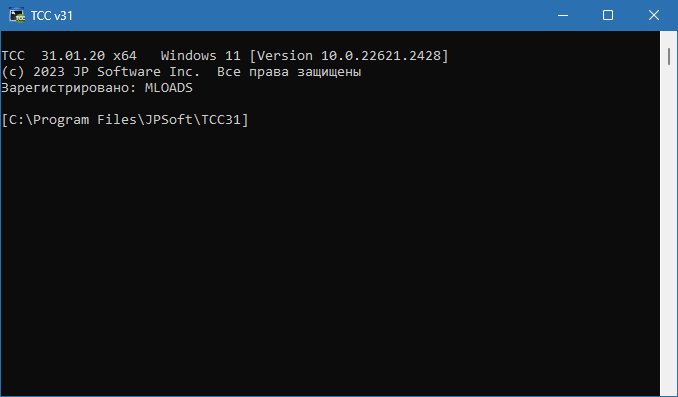
Developed by JP Software, TCC extends the classic CMD with hundreds of new commands, variables, and functions, plus advanced scripting features that make system administration, automation, and file management faster and more reliable.
⚙️ Key Features of TCC 35.00.20
🧠 1. 200+ Enhanced Commands
TCC expands CMD with over 200 additional commands and hundreds of internal variables and functions. It includes advanced file management, process control, registry editing, string manipulation, and networking commands that CMD simply doesn’t support.
🔧 2. Powerful Scripting Engine
TCC offers a full scripting language far beyond traditional batch files. You can use IF/ELSE, DO/WHILE loops, TRY/CATCH error handling, and user-defined functions, enabling complex logic and automation scenarios similar to PowerShell or Python.
🧰 3. Command Line Enhancements
Experience a smarter command-line interface featuring:
Syntax coloring and auto-completion
Command history and aliases
Directory navigation shortcuts
Inline variable expansion
These improvements make TCC both more efficient and enjoyable to use.
🧩 4. Built-In Functions & Variables
TCC comes with over 700 built-in variables and functions, allowing you to easily perform operations on files, strings, dates, registry entries, and network connections directly from the command line.
🧭 5. Integrated Scripting Debugger
Debug scripts effortlessly with breakpoints, step execution, and variable watches. TCC’s debugger is perfect for developers and administrators who need precise control over their automation tasks.
🧱 6. Advanced File Handling
With enhanced wildcard support, recursive file operations, and extended path variables, TCC allows you to perform massive file and folder operations with precision and speed.
🌐 7. Internet & Network Commands
TCC includes built-in support for HTTP, FTP, TFTP, and SSH commands, enabling script-based file transfers and remote management directly from the command line.
🆕 What’s New in Version 35.00.20
Improved Windows 11 compatibility and performance
Optimized script execution and reduced memory usage
Enhanced syntax highlighting for nested commands
New TPIPE and TLIST functions for text processing
Bug fixes and stability improvements for enterprise environments
🖥️ System Requirements
Operating System: Windows 10 / 11 (32-bit & 64-bit)
Processor: Intel or AMD dual-core
Memory: 2 GB RAM minimum
Disk Space: 250 MB free space
🧠 Why Choose JP Software TCC?
TCC 35.00.20 offers a massive productivity boost for anyone who uses the Windows command line. It provides more power, flexibility, and control—without the need for external tools.
It’s the perfect solution for:
System administrators managing complex environments
Developers automating builds or deployments
IT professionals writing advanced batch or shell scripts
Power users replacing CMD.EXE with a modern alternative
By using TCC, you can automate repetitive tasks, build advanced workflows, and improve system efficiency across your organization.
💡 Final Thoughts
JP Software TCC 35.00.20 is not just a CMD replacement — it’s a complete scripting and automation platform for Windows. With advanced features, debugging tools, and powerful command extensions, TCC empowers professionals to work smarter and faster.
If you rely on batch scripting or the command line daily, TCC 35.00.20 is the upgrade you’ve been waiting for.
✔ Tested: This software was tested on Windows 10 & Windows 11 and works smoothly without issues.
Frequently Asked Questions
- Is this software free?
Yes, it can be downloaded and used for free. - Does it support Windows 11?
Yes, it works perfectly on Windows 10 and 11. - Is it safe to use?
Yes, the software was scanned and tested before publishing.
Last updated: January 2026