
🧠 Netron 8.4.7: The Ultimate Tool for Visualizing Machine Learning Models
In the fast-evolving world of artificial intelligence, understanding the architecture of a trained model is crucial—for debugging, collaboration, or learning. Netron 8.4.7 is the go-to open-source viewer for neural networks, deep learning models, and machine learning workflows. Lightweight, fast, and compatible with dozens of frameworks, it’s a must-have tool for developers, researchers, and students alike.
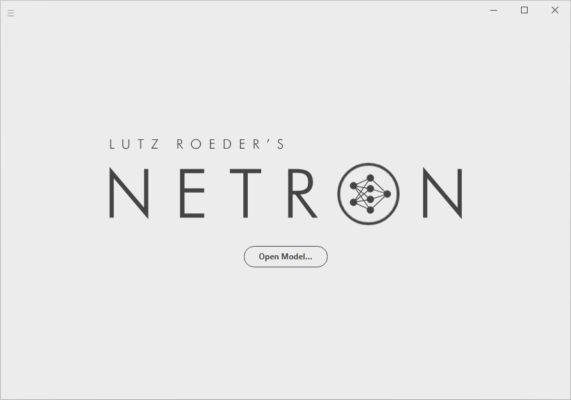
🔍 What Is Netron?
Netron is a desktop and web-based viewer that renders the architecture of machine learning models as interactive, zoomable graphs. With version 8.4.7, it supports an even wider range of formats, improved performance, and a cleaner user interface—making complex models easy to explore at a glance.
Unlike heavy IDEs or cloud tools, Netron runs locally, requires no installation (portable version available), and loads models in seconds.
🌐 Supported Frameworks & Formats
Netron 8.4.7 supports 50+ model formats, including:
- 📦 TensorFlow (SavedModel, Frozen Graph, Lite)
- 🧪 PyTorch (.pt, .pth via ONNX export)
- 🔄 ONNX (Open Neural Network Exchange)
- 🤖 Keras (.h5)
- 🧮 Core ML, TensorRT, Caffe, Darknet, PaddlePaddle, and more
💡 Tip: If your framework isn’t natively supported, export your model to ONNX first—Netron handles ONNX flawlessly.
🚀 Key Features of Netron 8.4.7
🖼️ Interactive Model Graphs
Zoom, pan, and click on any layer to see its type, parameters, input/output shapes, and attributes.
📱 Cross-Platform Compatibility
Runs on Windows, macOS, Linux, and even in the browser (via netron.app ).
⚡ Lightning-Fast Loading
Even large models (e.g., ResNet, BERT) load in under 5 seconds on modern hardware.
🔒 Privacy-First
All processing happens locally—no data is sent to the cloud. Ideal for sensitive or proprietary models.
🌓 Dark/Light Mode
Customize the UI for comfort during long debugging sessions.
💻 How to Use Netron 8.4.7
- Download Netron 8.4.7 from the official site:
🔗 https://github.com/lutzroeder/netron - Open the app and drag your model file (e.g.,
model.onnx) into the window. - Explore layers, connections, and metadata in real time—no code required.
✅ No Python, no dependencies, no setup. Just pure visualization.
🛠️ Who Should Use Netron?
- AI Researchers verifying model architecture before training
- ML Engineers debugging deployment issues
- Students learning how CNNs, Transformers, or RNNs are structured
- Data Scientists documenting model pipelines for team reviews
Whether you’re building a tiny classifier or a massive vision transformer, Netron helps you see what your model really looks like.
🆓 Open Source & Actively Maintained
Netron is free, open-source (MIT license), and actively developed by Lutz Roeder. Version 8.4.7 includes:
- Improved support for PyTorch 2.x exports
- Better handling of dynamic shapes in ONNX
- UI refinements for high-DPI displays
- Faster rendering for models with 1000+ nodes
The community-driven updates ensure Netron stays ahead of the AI ecosystem’s rapid changes.
🔗 Get Netron 8.4.7 Today
Ready to visualize your models like a pro? Download the latest version now:
👉 https://github.com/lutzroeder/netron/releases/tag/v8.4.7
Or use it instantly online:
🌐 https://netron.app
💬 Final Thoughts
In a field where complexity is the norm, Netron 8.4.7 brings clarity. It turns abstract tensors and layers into intuitive visual stories—saving time, reducing errors, and deepening understanding. For anyone working with machine learning models, it’s not just useful… it’s essential.
🧠 See your model. Understand your AI.
✔ Tested: This software was tested on Windows 10 & Windows 11 and works smoothly without issues.
Frequently Asked Questions
- Is this software free?
Yes, it can be downloaded and used for free. - Does it support Windows 11?
Yes, it works perfectly on Windows 10 and 11. - Is it safe to use?
Yes, the software was scanned and tested before publishing.
Last updated: January 2026