
pdfMachine Ultimate 20.46 is a comprehensive PDF solution designed for businesses and professional users who need a reliable tool to handle all their PDF needs. Whether you’re creating documents from scratch, editing existing ones, or securing sensitive files, this software delivers powerful features in a lightweight, intuitive interface and buy.
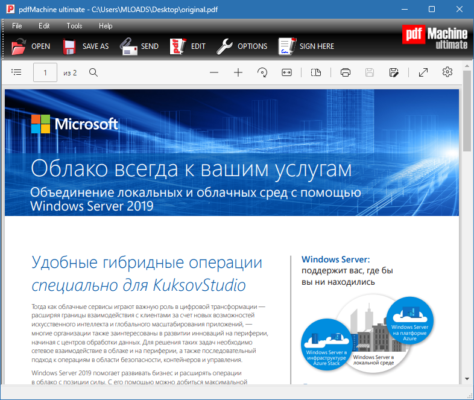
Developed by Broadgun Software, pdfMachine Ultimate allows for seamless conversion of documents into PDFs from any Windows application. It also offers built-in tools for OCR, digital signatures, encryption, batch processing, and more.
Key Features of pdfMachine Ultimate 20.46
1. Convert Any Document to PDF
pdfMachine acts as a virtual printer, enabling you to print any document to PDF from any Windows program. Just choose pdfMachine as your printer, and you’re good to go.
2. PDF Editing and Annotation
The software allows users to add annotations, comments, text highlights, watermarks, and more. It’s especially useful for reviewing documents and collaborating with teams.
3. Optical Character Recognition (OCR)
OCR support enables conversion of scanned documents and images into searchable and editable PDFs – a must-have for businesses working with paper archives.
4. Digital Signatures
Digitally sign your documents to ensure authenticity. The software also supports timestamping and certificate-based signing to meet compliance requirements.
5. Secure Your PDF Files
Use password protection and AES 256-bit encryption to secure sensitive information. You can also restrict copying, printing, and editing of your files.
6. Email Integration
Automatically attach generated PDFs to emails using your default mail client. Great for sending invoices, contracts, or reports directly after creation.
7. Batch Processing
Handle large volumes of files with ease using the batch conversion feature. Save time by converting and processing multiple documents simultaneously.
What’s New in Version 20.46
Improved OCR engine for higher accuracy.
Enhanced compatibility with Windows 11.
UI improvements for better usability.
Bug fixes and performance enhancements.
System Requirements
OS: Windows 7, 8, 10, 11 (32-bit & 64-bit)
RAM: 1 GB or more
Disk Space: 100 MB free space
Processor: 1 GHz or higher
Who Should Use pdfMachine Ultimate?
This software is ideal for:
Corporate offices needing secure document workflows.
Legal firms managing contracts and case files.
Financial institutions processing sensitive data.
Educators and researchers working with large documents.
Freelancers and content creators who need polished PDF outputs.
Conclusion
pdfMachine Ultimate 20.46 stands out as a powerful, all-in-one PDF solution tailored for professionals. Whether you’re looking to streamline your document workflow, enhance security, or improve productivity, this tool delivers excellent value. With support for OCR, batch processing, digital signatures, and more, it’s a must-have for any serious user of PDF files.
✔ Tested: This software was tested on Windows 10 & Windows 11 and works smoothly without issues.
Frequently Asked Questions
- Is this software free?
Yes, it can be downloaded and used for free. - Does it support Windows 11?
Yes, it works perfectly on Windows 10 and 11. - Is it safe to use?
Yes, the software was scanned and tested before publishing.
Last updated: January 2026