
When it comes to ensuring a stable and secure wireless connection, having the right tools is essential. Homedale 2.19 is a free, lightweight, and efficient WiFi monitoring utility that helps users analyze wireless networks in real time. Whether you are troubleshooting weak signals or comparing different access points, Homedale provides detailed insights into your WiFi environment.
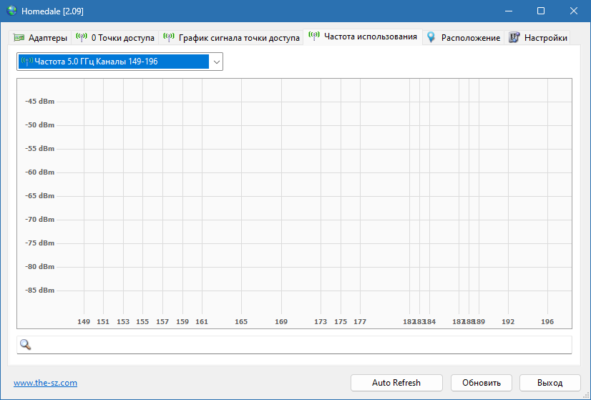
What is Homedale 2.19?
Homedale 2.19 is a portable WiFi monitoring software designed for Windows. Unlike many heavy network analyzers, this tool is small in size yet offers powerful features. It allows users to view all available wireless networks, measure signal strength, and monitor the stability of a connection over time.
With its user-friendly interface, Homedale requires no installation. You can run it directly from a USB stick, making it convenient for IT professionals, technicians, and everyday users who want to optimize their home or office WiFi.
Key Features of Homedale 2.19
Homedale 2.19 comes with a range of features that make it one of the most practical WiFi monitoring tools available:
- Real-time Signal Strength Monitoring – Track the strength of multiple networks simultaneously.
- Graphical Visualization – View detailed signal graphs that show fluctuations and stability.
- Multiple WiFi Adapter Support – Choose between different network adapters on your system.
- Encryption Details – Check network security standards such as WPA, WPA2, and WPA3.
- Portable and Lightweight – No installation required, perfect for quick troubleshooting.
- Access Point Tracking – Monitor which WiFi access point your device is currently connected to.
Why Use Homedale 2.19?
WiFi issues are common in both homes and offices. Slow speeds, unstable connections, and weak signals often lead to frustration. Homedale 2.19 helps users identify the root cause of these problems by displaying clear data about the wireless environment.
For example, if your signal strength is unstable, you can use Homedale to determine whether interference from other networks is the problem. IT experts often rely on this tool to decide the best channel for routers, reducing interference and improving performance.
How to Use Homedale 2.19
Using Homedale is simple:
- Download and run the software – Since it is portable, no installation is required.
- Select your WiFi adapter – Choose the network card you want to monitor.
- View available networks – The software will list all wireless signals around you.
- Check signal graphs – Analyze the performance of your connection over time.
- Optimize your WiFi – Use the data to adjust router placement or change channels.
Benefits for Home and Professional Users
- Home Users – Improve streaming, online gaming, and video calls by optimizing WiFi placement.
- IT Technicians – Diagnose and fix network issues quickly without heavy tools.
- Businesses – Ensure stable connections across offices by monitoring multiple networks.
Conclusion
Homedale 2.19 is a must-have tool for anyone who wants to improve their WiFi experience. With real-time monitoring, graphical analysis, and portable usability, it provides everything you need to understand and optimize your wireless networks. Whether you are a casual user or an IT professional, this free tool is lightweight, effective, and reliable.
By using Homedale 2.19, you can take control of your wireless environment, reduce interference, and enjoy smoother online performance.
✔ Tested: This software was tested on Windows 10 & Windows 11 and works smoothly without issues.
Frequently Asked Questions
- Is this software free?
Yes, it can be downloaded and used for free. - Does it support Windows 11?
Yes, it works perfectly on Windows 10 and 11. - Is it safe to use?
Yes, the software was scanned and tested before publishing.
Last updated: January 2026