
If you’re looking to modernize your Windows context menu with a clean, fluent interface, look no further than Breeze Shell 0.1.26. Developed by MicroBlock, this lightweight shell replacement enhances your user experience by replacing the traditional right-click menu with a more modern, faster, and customizable design.
What Is Breeze Shell?
Breeze Shell is not just another UI tweak—it’s a fully functional shell extension designed to replace the default Windows context menu. Built with a fluent design language, Breeze Shell offers a sleek, responsive interface that feels more in line with modern operating systems and see Shell .
Whether you’re a power user, developer, or casual Windows user, Breeze Shell can streamline your workflow and give your system a fresh look.
✅ Key Features of Breeze Shell 0.1.26
Fluent UI Design: Inspired by modern user interface principles, Breeze Shell delivers a smooth and elegant experience.
Fast Performance: Unlike traditional context menus that can lag or load slowly, Breeze Shell ensures instant response.
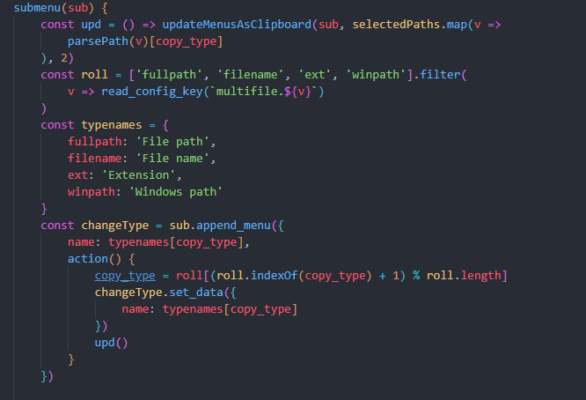
Customizability: You can configure which items appear, group them, or even add your own actions and scripts.
Lightweight: Breeze Shell uses minimal system resources and has zero bloat.
Open Source: Transparency and community-driven development make Breeze Shell trustworthy and safe.
Multilingual Support: Supports multiple languages with easy integration.
💡 How to Install Breeze Shell
Download the installer from the official site:
https://breeze.microblock.ccRun the setup file and follow the instructions.
Once installed, restart Windows Explorer or your computer.
Right-click anywhere and enjoy the new interface.
Note: It runs alongside your system safely and can be removed easily without system damage.
🔧 Use Cases
Power Users: Organize actions like Git commands, PowerShell scripts, or terminal shortcuts.
Designers & Developers: Add custom right-click options for opening files in specific tools.
General Users: Enjoy a beautiful right-click menu that fits the overall theme of your OS.
🆚 Breeze Shell vs. Windows Default Context Menu
| Feature | Windows Default | Breeze Shell |
|---|---|---|
| Customization | Limited | Extensive |
| UI Style | Legacy | Fluent/Modern |
| Speed | Standard | Fast |
| Scripting Support | No | Yes |
| Resource Usage | Moderate | Low |
✔ Tested: This software was tested on Windows 10 & Windows 11 and works smoothly without issues.
Frequently Asked Questions
- Is this software free?
Yes, it can be downloaded and used for free. - Does it support Windows 11?
Yes, it works perfectly on Windows 10 and 11. - Is it safe to use?
Yes, the software was scanned and tested before publishing.
Last updated: January 2026