📸 Album DS 11.8.0 – The Ultimate Photo Album Design Solution for Photoshop
Album DS 11.8.0 is a professional-grade plugin for Adobe Photoshop designed specifically for photographers who want to create elegant, high-quality photo albums quickly and efficiently. Whether you’re designing wedding albums, portrait books, or digital portfolios, Album DS gives you all the creative tools you need inside the familiar Photoshop environment.
🚀 Key Features of Album DS 11.8.0
🎨 1. Integrated Photoshop Plugin
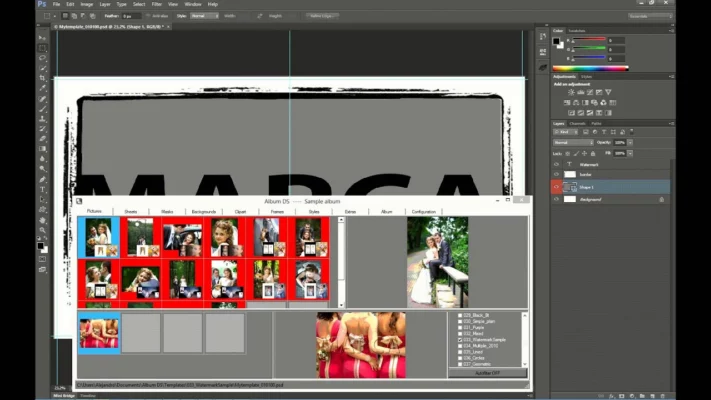
Album DS works seamlessly with Adobe Photoshop, providing a direct and intuitive interface for album creation. Designers can use all Photoshop features — layers, masks, filters, and brushes — while also benefiting from Album DS’s automated layout system.
🖼️ 2. Ready-Made Templates & Layouts
The program includes hundreds of professional templates for various album styles. You can choose from classic, modern, minimalistic, or creative layouts and customize them with your photos, text, and design elements. Templates can also be resized automatically to fit any album dimensions.
⚙️ 3. Full Automation Tools
Album DS simplifies your workflow with drag-and-drop functionality and automatic photo insertion. You can import an entire photo session, and the plugin will create multiple pages instantly using smart layout algorithms.
🧠 4. Smart Image Management
The plugin helps manage large sets of images easily. It allows you to sort, filter, and replace photos directly within the interface, and automatically aligns and resizes them for a clean, professional look.
💍 5. Perfect for Wedding & Event Albums
Professional photographers love Album DS for wedding and portrait albums. Its elegant templates and customization options make it easy to design premium-quality albums that clients will love.
🖌️ 6. Design Flexibility
With Album DS, every detail can be customized — from borders, shadows, and frames to backgrounds and clipart. You can even create unique collages, panoramas, and double-page spreads effortlessly.
📂 7. Export & Printing Options
Once your design is complete, Album DS allows you to export high-resolution files ready for print labs or digital presentation. It supports both sRGB and CMYK color profiles to ensure the highest print quality.
🆕 What’s New in Version 11.8.0
Updated compatibility with the latest Adobe Photoshop versions.
Faster template loading and improved performance.
New templates and background sets added.
Enhanced stability and smoother workflow.
🖥️ System Requirements
OS: Windows 7/8/10/11 (64-bit)
Adobe Photoshop: CS5 or later
RAM: Minimum 4GB (8GB recommended)
Storage: 500MB free space
🧾 Why Choose Album DS?
Album DS 11.8.0 is the perfect tool for professional photographers who value both creativity and speed. By combining Photoshop’s power with Album DS’s intelligent design features, it turns complex album creation into a smooth, enjoyable process.
Whether you’re designing for clients or your personal projects, Album DS ensures your albums always look polished and professional.
🔗 Official Website:https://www.albumds.com/
✔ Tested: This software was tested on Windows 10 & Windows 11 and works smoothly without issues.
Frequently Asked Questions
- Is this software free?
Yes, it can be downloaded and used for free. - Does it support Windows 11?
Yes, it works perfectly on Windows 10 and 11. - Is it safe to use?
Yes, the software was scanned and tested before publishing.
Last updated: January 2026