⚡ U-RENDER for Cinema 4D 2021.1.3: Real-Time Rendering Powered by Unreal Engine
For motion designers, architects, and product visualizers using Maxon Cinema 4D, U-RENDER 2021.1.3 offers a game-changing advantage: real-time, photorealistic rendering without leaving your familiar workflow. Built on Unreal Engine 4’s rendering pipeline, this powerful plugin transforms Cinema 4D into a live visualization studio—where changes to lighting, materials, or camera angles appear instantly.
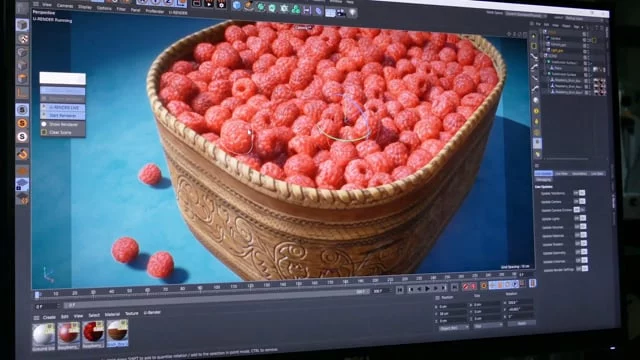
Unlike traditional CPU-based renderers (like Physical or Standard), U-RENDER leverages your GPU to deliver studio-quality results in seconds, not hours—making it ideal for fast-paced client reviews, iterative design, and real-time presentations.
🌟 What’s New in Version 2021.1.3?
This maintenance update (released in late 2021) focuses on stability, compatibility, and material accuracy:
- 🐞 Fixed crashes with complex geometry and displacement
- 🎨 Improved PBR material conversion from Cinema 4D shaders
- 🖥️ Better support for Cinema 4D R23–S24
- 🔧 Enhanced viewport performance on NVIDIA RTX and AMD Radeon Pro GPUs
- 🌐 Refined HDR environment handling for realistic lighting
💡 While newer versions exist (e.g., U-RENDER 2.x for UE5), 2021.1.3 remains popular for studios using older Cinema 4D builds.
✨ Key Features of U-RENDER
🕒 Real-Time Rendering
See lighting, reflections, shadows, and global illumination update live as you work—no more waiting for test renders.
🎮 Unreal Engine 4 Foundation
Leverage battle-tested UE4 rendering tech: physically based materials, ray-traced reflections (on supported GPUs), and dynamic lighting.
🧊 Seamless Cinema 4D Integration
- One-click switch from Standard/Physical renderer to U-RENDER
- Automatic conversion of Cinema 4D materials, lights, and cameras
- Native support for MoGraph, Fields, and XPresso
🖼️ High-Quality Output
Render 4K+ stills and animations with anti-aliasing, depth of field, and motion blur—ready for client delivery.
💡 Lighting & Environment Tools
- Use HDRI skies for instant realistic lighting
- Add rect lights, spotlights, and emissive materials with real-time feedback
- Adjust exposure, white balance, and tone mapping in post
📦 Export & Interoperability
- Export scenes to Unreal Engine for VR/AR experiences
- Save U-RENDER projects for team collaboration
💼 Who Should Use U-RENDER?
- Motion Designers: Create broadcast-ready visuals faster
- Architects & Interior Designers: Present photorealistic walkthroughs in real time
- Product Visualizers: Showcase materials and lighting interactively
- Advertising Studios: Iterate quickly during client feedback sessions
💡 Ideal for users with NVIDIA RTX or AMD Radeon RX 5000+ GPUs (8GB+ VRAM recommended).
📥 How to Get U-RENDER 2021.1.3 Legally
U-RENDER is a commercial plugin developed by U-RENDER GmbH. It is not free, but offers a fully functional trial:
🔗 Official Website: https://www.u-render.com
🔗 Trial Download: Available after registration
💰 Pricing: Starts at €299/year (per user)
⚠️ Avoid third-party sites offering “U-RENDER 2021.1.3 crack”—these violate copyright and often contain malware.
⚖️ U-RENDER vs. Native Cinema 4D Renderers
💬 Final Thoughts
U-RENDER for Cinema 4D 2021.1.3 bridges the gap between traditional 3D animation and real-time visualization. By harnessing the power of Unreal Engine inside Cinema 4D, it empowers artists to create, iterate, and present with unprecedented speed and realism.
🎥 Render in real time. Impress in seconds.
✔ Tested: This software was tested on Windows 10 & Windows 11 and works smoothly without issues.
Frequently Asked Questions
- Is this software free?
Yes, it can be downloaded and used for free. - Does it support Windows 11?
Yes, it works perfectly on Windows 10 and 11. - Is it safe to use?
Yes, the software was scanned and tested before publishing.
Last updated: January 2026