
Introduction
In today’s digital world, secure and efficient file transfer is essential for both businesses and IT administrators. Managing files across networks requires a solution that supports multiple protocols, provides security, and ensures stability. Wing FTP Server Corporate 8.0.4 is a professional-grade file transfer server software designed to meet the needs of enterprises and organizations with advanced features, flexibility, and strong security.
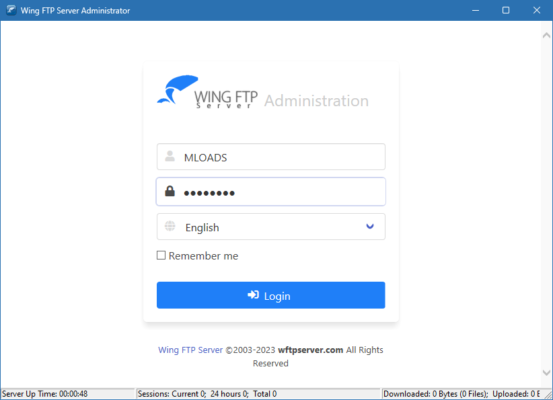
What is Wing FTP Server Corporate 8.0.4?
Wing FTP Server is a powerful multi-protocol file server software that enables businesses to securely share and manage files over the internet. It supports a wide range of transfer protocols including FTP, FTPS, SFTP, and HTTP/S, making it versatile and adaptable to different environments.
The Corporate Edition 8.0.4 includes advanced enterprise-level features such as database integration, event management, and real-time monitoring, making it a complete solution for organizations requiring reliable file transfer operations.
Key Features of Wing FTP Server Corporate 8.0.4
Multi-Protocol Support: Works with FTP, FTPS, SFTP, and HTTP/S protocols.
Web-Based Administration: Manage server settings from any browser with a responsive admin console.
Enterprise Integration: Supports ODBC database connections, LDAP, and Active Directory.
High Security: Strong encryption with SSL/TLS, SSH, and secure user authentication.
Event Management: Automate tasks and scripts triggered by server events.
Virtual Folders: Assign storage paths without changing the physical folder structure.
Load Balancing & Failover: Ensure stability and scalability for large deployments.
Web Client & Mobile Access: Users can access files easily via a modern web interface.
Real-Time Monitoring: Track user sessions, transfers, and server performance live.
Customization: Branding options for companies to personalize the interface.
System Requirements
Before installing Wing FTP Server Corporate 8.0.4, check that your system meets the following requirements:
OS: Windows (7, 8, 10, 11, Server editions), Linux, macOS, Solaris
Processor: Intel/AMD dual-core or higher
RAM: 2 GB minimum (4 GB recommended)
Storage: At least 200 MB free disk space (plus additional storage for file hosting)
Network: Stable internet or LAN connection for transfers
How to Download and Install Wing FTP Server Corporate 8.0.4
Go to the official Wing FTP Server website.
Download the installer for version 8.0.4 suitable for your operating system.
Run the installer and follow the on-screen instructions.
Access the web-based admin console to configure server settings.
Create user accounts, define permissions, and set up virtual folders.
Enable secure connections (SSL/TLS or SSH) for data protection.
Start transferring and managing files with full enterprise security.
Why Use Wing FTP Server Corporate 8.0.4?
Businesses today require reliable and secure file transfer solutions. Wing FTP Server stands out due to its ability to handle enterprise-level workloads while remaining flexible and easy to use.
Compared to traditional FTP servers, Wing FTP offers multi-protocol support, high-level encryption, and advanced automation features. IT administrators benefit from its real-time monitoring, failover support, and centralized management, making it ideal for both small teams and large corporations.
Conclusion
Wing FTP Server Corporate 8.0.4 is a comprehensive file transfer solution designed for enterprises seeking performance, security, and scalability. With support for multiple protocols, database integration, automation, and web-based management, it provides everything needed for professional file transfers.
Download Wing FTP Server Corporate 8.0.4 today and give your business a secure, flexible, and efficient file sharing system.
✔ Tested: This software was tested on Windows 10 & Windows 11 and works smoothly without issues.
Frequently Asked Questions
- Is this software free?
Yes, it can be downloaded and used for free. - Does it support Windows 11?
Yes, it works perfectly on Windows 10 and 11. - Is it safe to use?
Yes, the software was scanned and tested before publishing.
Last updated: January 2026