
🌐 Overview of FTPie Pro 2025.9.1
FTPie Pro 2025.9.1 is a powerful and modern FTP client designed to simplify file transfers between local systems and remote servers. Whether you’re a web developer, system administrator, or content manager, this tool provides all the features needed to handle files securely and efficiently.
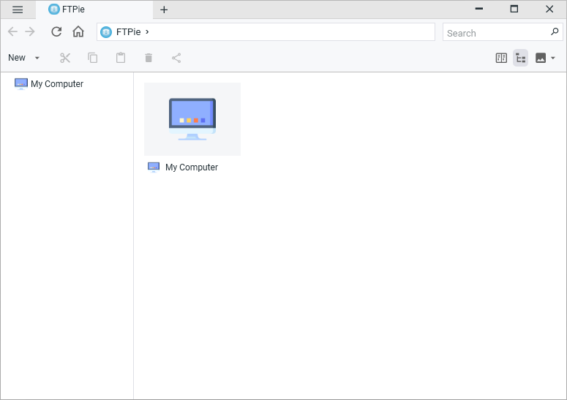
It supports all major transfer protocols, including FTP, FTPS, and SFTP, ensuring compatibility with virtually any hosting service. FTPie Pro stands out for its clean user interface, advanced automation options, and top-tier security for encrypted connections.
⚙️ Key Features
🔹 Full Protocol Support
FTPie Pro allows users to connect through FTP, FTPS (SSL/TLS), and SFTP (SSH), ensuring that all file transfers remain secure and reliable. Whether you manage websites, cloud backups, or enterprise servers, it offers smooth compatibility with multiple environments.
🔹 Drag-and-Drop File Transfers
The intuitive drag-and-drop interface makes moving files between local and remote directories incredibly easy. You can upload or download entire folders without manual configuration.
🔹 Automated Transfer Scheduling
Automation is one of FTPie Pro’s strongest features. Users can schedule file transfers, backups, or synchronization tasks to run automatically at specified intervals — perfect for businesses and developers who need consistent server management.
🔹 Transfer Queue and Logging
FTPie Pro includes a smart transfer queue that prioritizes multiple uploads and downloads efficiently. All operations are logged in detail, allowing you to track transfer history, progress, and potential errors.
🔹 Multi-Connection Performance
By supporting multiple simultaneous connections, FTPie Pro drastically improves transfer speeds, especially when dealing with large files or directories.
🧠 Smart Tools for Professionals
🛠️ File Synchronization
Keep remote and local directories in sync automatically. The program detects and updates only changed files, saving time and bandwidth.
🔐 Secure File Encryption
FTPie Pro uses strong encryption protocols to safeguard sensitive data during transmission. SSL and SSH options protect against interception and unauthorized access.
💾 Backup and Restore
It allows quick local backups of entire server directories. This ensures your important files are safe even in case of unexpected server issues.
🧩 Scriptable Tasks
For advanced users, FTPie Pro supports custom scripting for automation. You can create triggers for actions like upload after file modification or auto-delete temporary files after transfer completion.
🚀 What’s New in Version 2025.9.1
Enhanced transfer stability and connection handling.
Updated UI for improved usability and faster navigation.
Better SFTP performance on large files.
New task scheduler with time zone synchronization.
Improved log management and real-time progress tracking.
🖥️ System Requirements
OS: Windows 10/11 (64-bit)
CPU: Intel Core i3 or higher
RAM: 4 GB minimum (8 GB recommended)
Disk Space: 200 MB free space
Network: Stable Internet connection
💼 Who Should Use FTPie Pro
Developers: For uploading websites, managing scripts, and syncing project files.
IT Administrators: For managing servers and automating scheduled transfers.
Businesses: To maintain secure data exchange between internal and remote storage.
🌍 Official Website
For the latest updates, downloads, and license information, visit the official developer page:
🔗 https://www.ftpie.com
✔ Tested: This software was tested on Windows 10 & Windows 11 and works smoothly without issues.
Frequently Asked Questions
- Is this software free?
Yes, it can be downloaded and used for free. - Does it support Windows 11?
Yes, it works perfectly on Windows 10 and 11. - Is it safe to use?
Yes, the software was scanned and tested before publishing.
Last updated: January 2026