
CopyQ 13.0.0: Take Control of Your Clipboard Like Never Before 🖱️✨
Tired of losing important text snippets, images, or files because your clipboard only holds the last item you copied? CopyQ 13.0.0 is a powerful, cross-platform clipboard manager that stores, organizes, and manages everything you copy—offering extensive history, powerful search, editing, and automation features to dramatically boost your productivity.
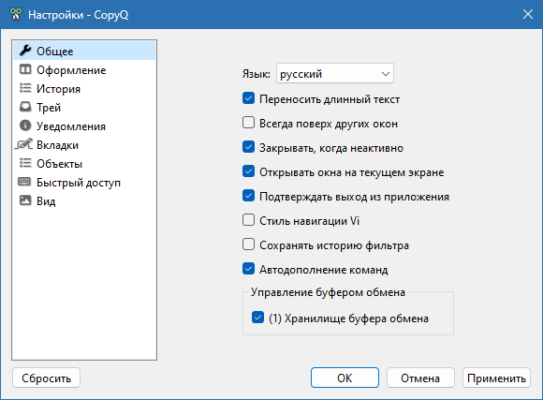
Whether you’re a developer, writer, designer, or power user, CopyQ transforms the simple clipboard into a versatile tool for managing frequently used content.
🎯 Why Use CopyQ?
- ✅ Extensive Clipboard History: Stores hundreds or thousands of copied items
- ✅ Cross-Platform: Available for Windows, Linux, and macOS
- ✅ Rich Content Support: Handles text, images, HTML, files, and custom formats
- ✅ Powerful Search & Filtering: Find any copied item instantly
- ✅ Customizable & Scriptable: Automate tasks with commands and scripting
- ✅ Free & Open-Source: No cost, community-driven development
- ✅ Sync & Portability: Can sync history across devices or run portable
Perfect for anyone who copies and pastes frequently and wants more control and history.
✨ Key Features of Version 13.0.0
📜 1. Comprehensive Clipboard History
- Stores unlimited items (limited only by disk space)
- Save and organize frequently used snippets
- Navigate history with keyboard shortcuts
- Pin important items to prevent them from being overwritten
🔍 2. Smart Search & Filtering
- Quick search through your entire clipboard history
- Filter by content type (text, image, file)
- Use wildcards and regular expressions for advanced searches
- Preview items before pasting
✏️ 3. Editing & Manipulation
- Edit text snippets directly within CopyQ
- Modify images (crop, resize, annotate)
- Format text (change case, remove formatting, etc.)
- Combine multiple items into one paste
⚙️ 4. Automation & Scripting
- Custom commands triggered by hotkeys or conditions
- Import/Export configuration and snippets
- Integrate with external tools
- Automate repetitive copy-paste tasks
🌐 5. Cross-Platform & Sync
- Runs natively on Windows, Linux, and macOS
- Portable mode available for USB drives
- Sync history between computers (with external tools)
- Consistent experience across platforms
🛠️ Ideal For:
- Developers: Store code snippets, file paths, commands
- Writers: Manage quotes, references, text blocks
- Designers: Handle multiple image copies and assets
- Researchers: Organize links, citations, notes
- Anyone: Who frequently copies and pastes various content
💡 Tip: Set up custom commands to automate common tasks, like copying the current date or a specific template.
🆚 CopyQ vs. Built-in Clipboard
CopyQ provides vastly superior clipboard functionality compared to built-in tools.
💡 Final Thoughts: Master Your Clipboard
CopyQ 13.0.0 is the definitive solution for users who want complete control over their clipboard history and content. Its robust feature set, cross-platform support, and extensibility make it an invaluable tool for boosting productivity and efficiency.
📋 Copy. Store. Organize. Paste.
🌐 Official website: https://hluk.github.io/CopyQ/ (Note: Verify exact page for v13.0.0 if available)
💻 Compatible with Windows, Linux, macOS.
✔ Tested: This software was tested on Windows 10 & Windows 11 and works smoothly without issues.
Frequently Asked Questions
- Is this software free?
Yes, it can be downloaded and used for free. - Does it support Windows 11?
Yes, it works perfectly on Windows 10 and 11. - Is it safe to use?
Yes, the software was scanned and tested before publishing.
Last updated: January 2026