
🎬 Video Thumbnails Maker 26.0.0.0 – The Ultimate Tool for Creating Video Thumbnails
Video Thumbnails Maker 26.0.0.0 is a professional tool designed to generate preview thumbnails, screenshots, and contact sheets from video files. Whether you’re a video editor, content creator, or simply want to organize your media collection visually, this software provides everything you need to create stunning video previews in seconds.
Developed by SUU Design, this lightweight but powerful utility supports all major video formats and provides fast, accurate frame capturing — perfect for both professionals and casual users.
🎞️ What Is Video Thumbnails Maker?
Video Thumbnails Maker allows users to capture still frames from video files and arrange them into elegant thumbnail sheets. These sheets provide a visual summary of your video, displaying multiple snapshots in a single image file.
This is especially useful for archiving, cataloging, or previewing video collections, as it helps users quickly identify video content without having to play each file individually.
⚙️ Key Features of Version 26.0.0.0
Support for All Major Video Formats: Works with MP4, AVI, MKV, MOV, FLV, WMV, and more.
Batch Processing: Create thumbnails for multiple videos at once to save time.
Custom Layouts: Choose the number of screenshots per sheet, spacing, and arrangement style.
Watermark and Logo Support: Add custom branding or signatures to your previews.
Built-In Viewer: Instantly preview and edit generated thumbnail sheets before saving.
High-Quality Output: Supports up to 8K resolution images for professional use.
Integration with Windows Explorer: Right-click any video and select “Make Thumbnails” for quick results.
🧩 Smart Interface and Workflow
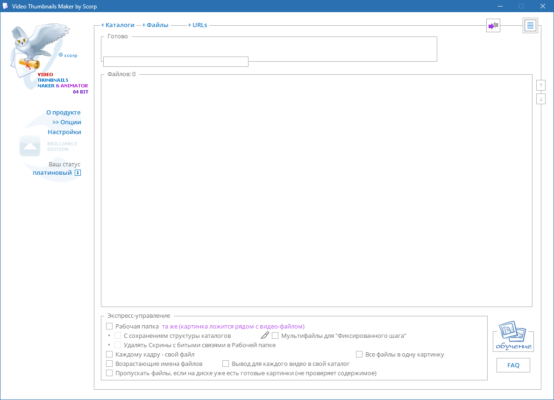
The interface of Video Thumbnails Maker 26.0.0.0 is simple yet feature-rich. Users can drag and drop video files into the main window, choose templates, and generate thumbnails instantly.
You can define parameters like time intervals, frame count, and aspect ratio, or let the software automatically choose the best frames. Custom backgrounds, borders, and fonts give your thumbnail sheets a polished look, perfect for professional portfolios or YouTube channels.
🎨 Customization and Automation
Customization is where this tool truly shines. You can control every aspect of the output — from thumbnail size and resolution to text overlays and timestamp placement.
The Preset Manager allows you to save preferred settings and apply them across multiple projects. Combined with batch processing, this makes Video Thumbnails Maker a perfect choice for users who frequently process large collections of video files.
🚀 Performance and Compatibility
Thanks to its optimized multi-threaded engine, Video Thumbnails Maker 26.0.0.0 works extremely fast, even with large or long-duration videos. It takes full advantage of modern CPU cores to process multiple files simultaneously, reducing overall conversion time dramatically.
The tool is compatible with Windows 7, 8, 10, and 11, both 32-bit and 64-bit systems.
💡 Why Choose Video Thumbnails Maker 26.0.0.0
Easy to use, yet powerful for professionals
Fully customizable output with presets
Supports batch thumbnail generation
Lightweight and portable, no installation required
Creates visually appealing video previews instantly
🧠 Ideal Use Cases
Creating contact sheets for video libraries
Generating preview images for YouTube or Vimeo uploads
Cataloging movies, TV shows, or recorded clips
Archiving security or surveillance videos visually
✅ Conclusion
Video Thumbnails Maker 26.0.0.0 remains one of the most versatile and efficient tools for generating visual summaries of video content. With its fast processing speed, deep customization, and easy workflow, it’s the go-to choice for professionals and enthusiasts who need high-quality thumbnails at scale.
Official Website:
https://www.suu-design.com/projects.html
✔ Tested: This software was tested on Windows 10 & Windows 11 and works smoothly without issues.
Frequently Asked Questions
- Is this software free?
Yes, it can be downloaded and used for free. - Does it support Windows 11?
Yes, it works perfectly on Windows 10 and 11. - Is it safe to use?
Yes, the software was scanned and tested before publishing.
Last updated: January 2026