
Notepad++ 8.8.7: The Essential Free Editor for Developers & Power Users 🖥️✨
Looking for a fast, feature-rich, and free text editor that goes far beyond the basic Windows Notepad? Notepad++ 8.8.7 is the open-source, powerful source code editor designed for Windows. It supports over 80 programming and markup languages, making it an indispensable tool for developers, web designers, writers, and anyone who works extensively with text.
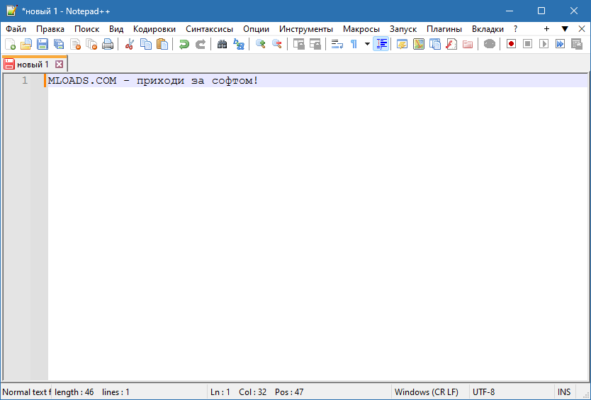
Whether you’re coding, scripting, writing HTML/CSS, or editing configuration files, Notepad++ provides the efficiency, syntax highlighting, and flexibility you need.
🎯 Why Use Notepad++?
- ✅ Completely Free & Open-Source: No cost, community-driven development
- ✅ Syntax Highlighting: Supports 80+ languages (C++, C#, Java, Python, PHP, HTML, CSS, JavaScript, etc.)
- ✅ Lightweight & Fast: Starts up quickly and uses minimal system resources
- ✅ Powerful Editing Features: Multi-view, multi-edit, find & replace with regex
- ✅ Extensible via Plugins: Enhance functionality with a rich plugin ecosystem
- ✅ Cross-Platform Editing: Handle different file encodings (UTF-8, ASCII, etc.)
Perfect for programmers, web developers, system administrators, and power users.
✨ Key Features of Version 8.8.7
📝 1. Advanced Text Editing
- Syntax Highlighting for dozens of languages
- Code Folding to collapse/expand sections
- Multi-View & Multi-Session editing
- Auto-Completion for keywords and functions
- Find & Replace with regular expression support
🧩 2. Plugin Architecture
- Plugin Manager for easy installation
- Extensive Plugin Library (NppFTP, NppExec, Compare, etc.)
- Customize the editor to fit your workflow
⚙️ 3. File & Session Management
- Tabbed Interface for managing multiple files
- Session Saving – restore your workspace later
- File Change Monitoring (auto-reload)
- Support for Large Files (up to a few GB)
🌐 4. Encoding & Language Support
- Handle multiple encodings (UTF-8, UTF-16, etc.)
- Convert between encodings
- Support for different line endings (Windows, Unix, Mac)
- Localization available for many languages
🛠️ Ideal For:
- Developers: Writing and editing code in various languages
- Web Designers: Editing HTML, CSS, JavaScript, PHP files
- System Administrators: Editing config files, scripts
- Writers: Drafting plain text notes or outlines
- Anyone: Needing a more powerful alternative to Notepad
💡 Tip: Use Ctrl+H for the powerful Find & Replace feature, and enable Regular Expression mode for complex searches.
🆚 Notepad++ vs. Other Text Editors
Notepad++ offers the best balance of features, speed, and simplicity for core text editing.
⚠️ Important Notes
- Notepad++ is free and open-source (GPL license).
- Always download from the official Notepad++ website to avoid malware-infected clones.
- Compatible with Windows 11/10/8.1/8/7/Vista/XP (32-bit & 64-bit).
💡 Final Thoughts: Edit Faster, Work Smarter
Notepad++ 8.8.7 proves that a free, lightweight editor can offer professional-grade features. By focusing on speed, language support, and extensibility, it remains a top choice for users who need a reliable and efficient text editor.
📝 Code. Write. Edit. Efficiently.
🌐 Official website: https://notepad-plus-plus.org
💻 Compatible with Windows (32-bit & 64-bit) – 100% free, open-source.
✔ Tested: This software was tested on Windows 10 & Windows 11 and works smoothly without issues.
Frequently Asked Questions
- Is this software free?
Yes, it can be downloaded and used for free. - Does it support Windows 11?
Yes, it works perfectly on Windows 10 and 11. - Is it safe to use?
Yes, the software was scanned and tested before publishing.
Last updated: January 2026