Introduction
Fork 2.12.2 is a modern, fast, and beautifully designed Git client created by Danil Pristupov. It provides an intuitive graphical interface for managing repositories efficiently on both Windows and macOS.
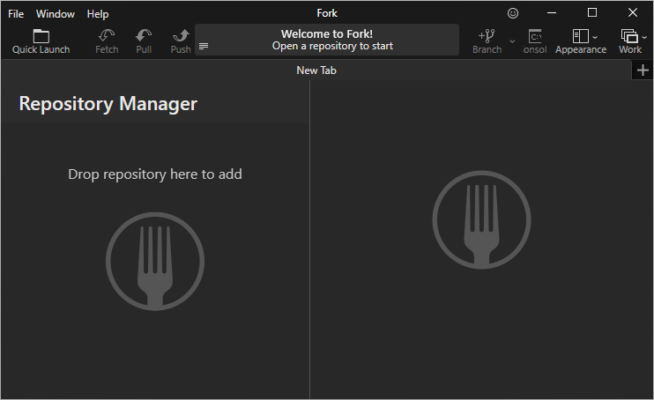
Fork simplifies the daily workflow of developers by offering powerful Git features with a user-friendly interface, ideal for professionals and beginners alike. Whether you’re handling multiple branches, reviewing commits, or resolving merge conflicts, Fork streamlines every step of your Git experience.
Key Features
1. Clean and Intuitive Interface
Fork presents your repositories in a visually organized and responsive layout. You can quickly navigate commits, branches, and merges with clear visualization tools.
2. Real-Time Commit Graph
The commit graph view displays the entire project history in real time, allowing you to track code changes, merges, and rebase operations effortlessly.
3. Efficient Branch Management
Create, rename, delete, and merge branches with just a few clicks. Fork also supports interactive rebasing, enabling precise control over commit history.
4. Advanced Diff and Merge Tools
Fork includes built-in diff and merge capabilities for resolving conflicts quickly. It can also integrate with external tools like Beyond Compare, Meld, or WinMerge for more detailed comparisons.
5. GitHub and GitLab Integration
Seamlessly connect your repositories hosted on GitHub, GitLab, Bitbucket, or any remote server. Fork simplifies authentication, pull requests, and repository synchronization.
6. Blame and History Tools
The Blame view helps identify who made specific code changes and when, while the detailed History view provides a timeline of file modifications and commit notes.
7. Custom Shortcuts and Themes
Developers can personalize their workspace using custom keyboard shortcuts and theme options, creating a more comfortable environment for long sessions.
What’s New in Version 2.12.2
- Improved performance for large repositories.
- Enhanced rebase and merge stability.
- Updated syntax highlighting in the diff viewer.
- Fixed minor UI issues and optimized startup time.
Why Developers Choose Fork
Fork stands out for its speed, simplicity, and professional-grade features. Unlike many Git GUIs, it combines visual clarity with deep control, helping developers focus on code rather than complex commands.
It’s ideal for developers working on large teams or managing multiple projects simultaneously, offering smooth performance and an elegant design across platforms.
Conclusion
Danil Pristupov Fork 2.12.2 is one of the best Git clients for developers who value efficiency, visual clarity, and control. With a balance of powerful features and an intuitive interface, it transforms how you interact with your repositories.
✔ Tested: This software was tested on Windows 10 & Windows 11 and works smoothly without issues.
Frequently Asked Questions
- Is this software free?
Yes, it can be downloaded and used for free. - Does it support Windows 11?
Yes, it works perfectly on Windows 10 and 11. - Is it safe to use?
Yes, the software was scanned and tested before publishing.
Last updated: January 2026