Overview — What is Stellar Toolkit for File Repair 2.5.0.0?
Stellar Toolkit for File Repair 2.5.0.0 is a comprehensive utility designed to repair and restore corrupted or damaged files across multiple formats. Whether you’re dealing with broken Word documents, damaged Excel sheets, corrupt PowerPoint slides, or unreadable images and videos, this toolkit provides specialized repair modules to recover usable data quickly. The software targets both home users and professionals who need a reliable solution to salvage important digital assets and buy.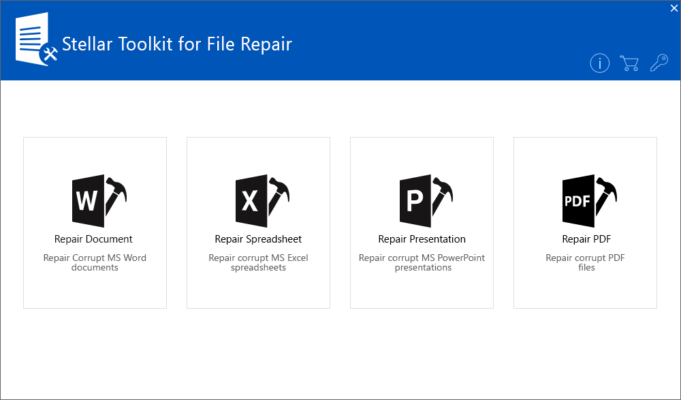
Key Features
Multi-format Support
Stellar Toolkit for File Repair 2.5.0.0 supports a wide range of file types. Core modules include repairers for Word, Excel, PowerPoint, PDF, JPEG, PNG, MOV, MP4, and ZIP/RAR archives. This breadth means you don’t need separate tools for different file categories — one suite handles most common corruption issues.
Easy-to-Use Interface
The interface is straightforward and organized by file type. Users can select the damaged file, run a scan, preview the recoverable content, and save the repaired file. The workflow reduces technical friction so even non-technical users can start repairs with a few clicks.
Preview and Selective Recovery
A useful preview feature lets you inspect recovered content before committing to saving it. If a file contains multiple elements (slides, pages, frames), you can choose which parts to export, saving time and disk space.
Batch Repair and Speed
Batch processing lets you queue multiple files or whole folders for repair, which is essential when handling large archives or many office documents. The toolkit balances thorough scanning with optimized performance so repair jobs complete in reasonable time.
How to Use Stellar Toolkit for File Repair 2.5.0.0
Step 1: Select the Appropriate Module
Open the toolkit and pick the module that matches your file type (e.g., Word Repair, Video Repair, or Photo Repair).
Step 2: Add Corrupted Files
Click “Add” or drag-and-drop the corrupted files into the interface. For batch jobs, add multiple files at once.
Step 3: Scan and Preview
Start the repair process. When complete, preview the recovered content. The preview helps verify whether the repair succeeded and if all necessary elements are restored.
Step 4: Save Repaired Files
Choose a safe destination (preferably different from the original location) and save the repaired files. Consider keeping a backup copy of originals for future attempts.
Why Choose Stellar Toolkit for File Repair 2.5.0.0?
Stellar Toolkit stands out because it combines focused repair engines with a single, unified interface. The targeted modules usually produce higher-quality repairs than generic recovery tools. For businesses, the ability to recover important documents or presentation files can save time, reputation, and cost. Home users benefit from an approachable workflow and the confidence that their photos and videos — often irreplaceable memories — have a higher chance of being restored.
Tips and Best Practices
- Always work on copies of corrupted files rather than originals.
- Use the preview feature to verify results before saving.
- For severely damaged files, try different modules (e.g., a PDF inside a ZIP) or change repair settings if available.
- Keep the software updated — newer versions often include improved algorithms for newer codecs and file structures.
Conclusion
Stellar Toolkit for File Repair 2.5.0.0 is a practical, reliable choice when you need to repair corrupted documents, images, videos, or archives. With multi-format support, batch processing, and clear previews, it simplifies the recovery workflow and improves the odds of restoring valuable data. Whether for personal use or business continuity, this toolkit is worth considering as part of your digital recovery toolkit.
✔ Tested: This software was tested on Windows 10 & Windows 11 and works smoothly without issues.
Frequently Asked Questions
- Is this software free?
Yes, it can be downloaded and used for free. - Does it support Windows 11?
Yes, it works perfectly on Windows 10 and 11. - Is it safe to use?
Yes, the software was scanned and tested before publishing.
Last updated: January 2026