
Mobile devices such as smartphones, tablets, and portable gadgets have become a core part of everyday life. However, one common frustration is slow charging speeds when using a computer’s USB port. Standard USB ports are not optimized for delivering high power output, making them inefficient for charging modern devices.
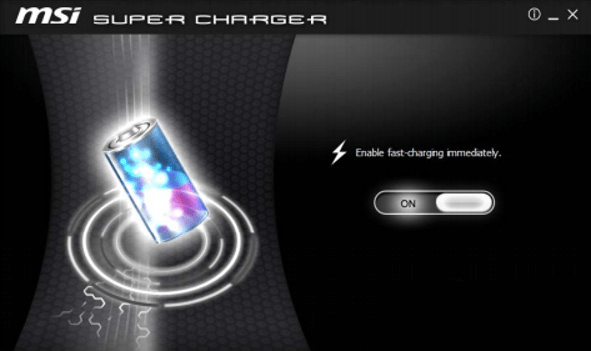
MSI Super Charger 1.3.0.29 is a lightweight yet powerful utility from MSI (Micro-Star International) that solves this issue by enabling fast charging through USB ports. Designed primarily for MSI motherboards, this tool ensures your devices charge faster and more efficiently, even when the system is in standby or sleep mode.
What is MSI Super Charger?
MSI Super Charger is a Windows-based utility developed by MSI to maximize the power output of USB ports. It allows compatible USB ports on MSI motherboards to deliver more current than usual, ensuring faster charging for devices like:
Smartphones (iPhone, Android devices)
Tablets (iPad, Samsung Galaxy Tab, etc.)
Portable consoles
Power banks
This means you no longer need to rely only on wall chargers for fast charging – your PC can do the job too.
Key Features of MSI Super Charger 1.3.0.29
1. Fast USB Charging
Increases the charging speed for devices compared to standard USB output.
2. Sleep Mode Charging
Charges devices even when your PC is in standby, hibernation, or sleep mode.
3. Lightweight & Easy to Use
Simple user interface designed for quick setup and minimal system resource usage.
4. Optimized for MSI Motherboards
Specially built to work with MSI hardware for maximum efficiency.
5. Wide Device Support
Compatible with smartphones, tablets, portable gadgets, and more.
6. Safe Power Management
Manages current delivery safely to prevent damage to devices or USB ports.
What’s New in Version 1.3.0.29?
Improved compatibility with the latest Windows 10 and Windows 11 updates.
Enhanced support for newer iOS and Android devices.
Performance optimizations for stable charging.
Bug fixes for better detection of connected devices.
Benefits of Using MSI Super Charger
For Gamers
Keep your gaming accessories and smartphones charged while playing without needing a wall outlet.
For Professionals
Charge devices quickly during work sessions without interrupting productivity.
For Students
Ensure tablets and phones stay powered throughout long study sessions.
For Everyday Users
Enjoy the convenience of faster charging directly from your PC instead of relying on multiple adapters.
How to Use MSI Super Charger 1.3.0.29
Step 1: Install the Utility
Download MSI Super Charger from MSI’s official website and install it on your Windows PC.
Step 2: Connect Your Device
Plug your smartphone, tablet, or gadget into a USB port that supports Super Charger.
Step 3: Enable Fast Charging
The software automatically detects the device and increases charging speed.
Step 4: Charge Anytime
Enjoy faster charging – even if your PC is in sleep or standby mode.
Why Choose MSI Super Charger?
While most PCs can only provide standard USB charging speeds, MSI Super Charger 1.3.0.29 unlocks the ability to charge high-demand devices like iPads or modern smartphones much faster.
Compared to third-party tools, MSI Super Charger is:
Officially developed by MSI – ensuring compatibility and safety.
Lightweight and efficient – minimal resource usage.
Safe for devices – optimized power management prevents overcharging.
Conclusion
MSI Super Charger 1.3.0.29 is a must-have utility for MSI motherboard users who want faster and more efficient USB charging. With support for smartphones, tablets, and portable gadgets, plus the ability to charge even when the PC is in standby, it adds both convenience and speed to your daily workflow.
Whether you are a gamer, a professional, or just someone tired of slow USB charging, MSI Super Charger provides a simple, reliable solution to keep your devices powered up.
✔ Tested: This software was tested on Windows 10 & Windows 11 and works smoothly without issues.
Frequently Asked Questions
- Is this software free?
Yes, it can be downloaded and used for free. - Does it support Windows 11?
Yes, it works perfectly on Windows 10 and 11. - Is it safe to use?
Yes, the software was scanned and tested before publishing.
Last updated: January 2026