BurnAware Pro 18.7: Your Professional Disc Burning Solution 🖥️✨
Need to burn data, audio, or video onto CDs, DVDs, or Blu-ray discs? Whether you’re creating backups, making audio CDs, burning ISO files, or producing bootable discs, BurnAware Pro 18.7 is a comprehensive and reliable burning suite designed for both everyday users and professionals.
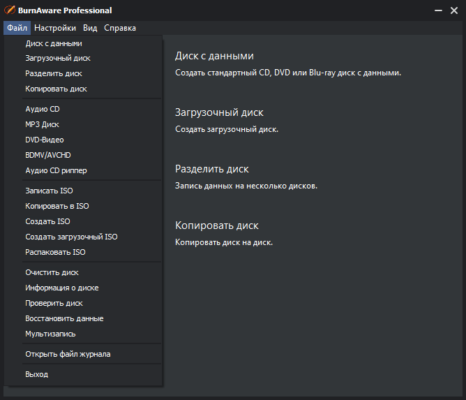
With its wide range of features, support for various media types, and user-friendly interface, BurnAware Pro simplifies the process of disc creation and management.
🎯 Why Use BurnAware Pro?
- ✅ Comprehensive Burning Suite: Burn data, audio, video, and bootable discs
- ✅ Wide Format Support: Handles ISO, NRG, CUE, and many other image formats
- ✅ Rewritable Media Support: Erase and reuse CD-RW, DVD-RW, BD-RE
- ✅ Bootable Disc Creation: Create system recovery or OS installation discs
- ✅ Disc Copying & Cloning: Make exact copies of existing discs
- ✅ Reliable & Stable: Proven technology for error-free burning
Perfect for home users, professionals, and anyone needing a robust disc burning solution.
✨ Key Features of Version 18.7
💿 1. Versatile Disc Burning
- Data Burning: Create data discs (CD, DVD, BD) from files and folders
- Audio CD Creation: Burn high-quality audio CDs from MP3, WMA, WAV, and other formats
- Video Burning: Create Video CDs (VCD) or Super Video CDs (SVCD)
- Bootable Discs: Burn system images to create bootable recovery or OS discs
📁 2. Image File Support
- Create ISO Images from files/folders or existing discs
- Burn ISO, NRG, CUE, IMG files directly to disc
- Open and explore image file contents before burning
🔄 3. Copying & Erasing
- Disc-to-Disc Copying: Clone CDs, DVDs, and Blu-rays
- Erase Rewritable Media: Clear CD-RW, DVD-RW, DVD+RW, BD-RE discs
- Compare Discs: Verify the integrity of burned data against the source
⚙️ 4. Advanced & Professional Tools
- Bootable Disc Creation: Ideal for OS installations or recovery media
- UDF Support: Burn large files (over 4GB) using UDF format
- Multi-Session Burning: Add data to discs that have free space
- Verification: Confirm data integrity after burning
🛠️ Ideal For:
- Home Users: Backing up photos, music, and documents
- Professionals: Creating distribution or archival discs
- System Administrators: Building bootable recovery media
- Anyone: Needing to burn ISO files or create audio CDs
💡 Tip: Use the “Disc to File” feature to create an ISO image of a disc before burning it, allowing you to store it as a backup file.
🆚 BurnAware Pro vs. Other Burning Tools
BurnAware Pro offers a good balance of features, usability, and professionalism.
⚠️ Important Notes
- BurnAware Pro is the paid version offering advanced features.
- BurnAware Free is available for basic tasks.
- Always use quality blank media for best results.
- Ensure your disc burner hardware supports the media type you are using.
💡 Final Thoughts: Burn Your Media Reliably
BurnAware Pro 18.7 is a versatile and dependable disc burning suite suitable for a wide range of burning, copying, and management tasks. Its broad feature set and reliability make it a solid choice for users needing more than basic burning capabilities.
💿 Burn. Copy. Create. Verify.
🌐 Official website: https://www.burnaware.com (Note: Verify exact product page for BurnAware Pro 18.7)
💻 Compatible with Windows (various versions).
✔ Tested: This software was tested on Windows 10 & Windows 11 and works smoothly without issues.
Frequently Asked Questions
- Is this software free?
Yes, it can be downloaded and used for free. - Does it support Windows 11?
Yes, it works perfectly on Windows 10 and 11. - Is it safe to use?
Yes, the software was scanned and tested before publishing.
Last updated: January 2026