💻 StressMyGPU 1.31 – GPU Stress Test & Benchmark Utility ⚙️🔥
StressMyGPU 1.31 is a powerful yet lightweight GPU stress-testing and benchmarking tool designed to push your graphics card to its limits. Whether you’re a gamer, PC enthusiast, or overclocker, this tool helps you check your GPU’s stability, performance, and thermal behavior under heavy load.
⚙️ What is StressMyGPU?
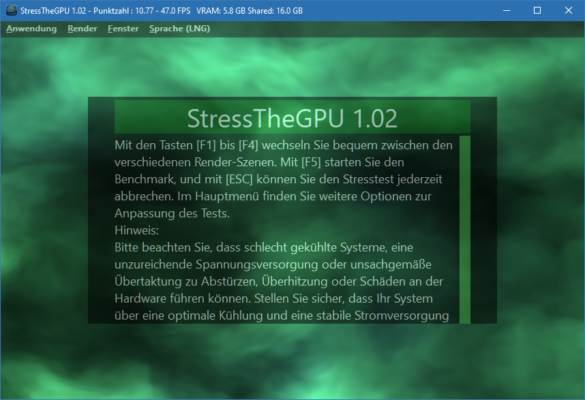
StressMyGPU is a free and portable application developed by Igor’sLAB, focused on providing an accurate, stable, and efficient way to test GPU performance without installing bulky benchmarking suites.
It uses advanced rendering algorithms to push the GPU to 100% load, revealing any potential issues like overheating, instability, or insufficient power delivery.
🌟 Main Features of StressMyGPU 1.31
✅ Lightweight & Portable – No installation required. Just download, run, and test.
✅ Full GPU Load Simulation – Pushes your GPU to 100% for accurate stress testing.
✅ Temperature Monitoring – Real-time GPU temperature and power draw display.
✅ Stability Testing – Detects thermal throttling and unstable overclocks.
✅ Multi-GPU Support – Works perfectly with NVIDIA, AMD, and Intel GPUs.
✅ No Internet Required – Works offline, perfect for lab or private testing.
✅ Minimal CPU Usage – Designed to stress GPU only, not other components.
🔧 What’s New in Version 1.31
✨ Improved compatibility with the latest NVIDIA RTX 4000 and AMD RX 7000 series GPUs.
✨ Enhanced OpenGL rendering engine for better stress consistency.
✨ Added temperature and clock speed logging feature.
✨ Fixed minor bugs related to window resizing and monitoring accuracy.
✨ Optimized GPU load balancing for smoother frame generation.
🧠 Why Use StressMyGPU 1.31?
Unlike many large benchmarking programs, StressMyGPU is fast, portable, and accurate. It doesn’t require installation or background services — making it ideal for quick GPU health checks.
It’s especially useful for:
🎮 Gamers – To ensure stable GPU performance during long gaming sessions.
🧩 Overclockers – To test the limits of their hardware safely.
🏢 Technicians – To diagnose GPU overheating or power supply problems.
The real-time stats help users identify stability issues early, preventing crashes, artifacts, or damage during intense usage.
💾 System Requirements
Operating System: Windows 7, 8, 10, 11 (64-bit)
GPU: NVIDIA, AMD, or Intel with OpenGL 4.5 support
RAM: 2 GB minimum
Storage: Less than 10 MB
Internet: Not required
🧩 How to Use StressMyGPU 1.31
1️⃣ Download and extract the StressMyGPU ZIP file.
2️⃣ Run StressMyGPU.exe — no installation needed.
3️⃣ Select the GPU you want to test (if multiple are present).
4️⃣ Start the stress test and monitor temperature, clock speed, and load.
5️⃣ Stop the test anytime using the ESC key.
💡 Tip: Let the test run for at least 10–15 minutes to verify GPU stability.
✔ Tested: This software was tested on Windows 10 & Windows 11 and works smoothly without issues.
Frequently Asked Questions
- Is this software free?
Yes, it can be downloaded and used for free. - Does it support Windows 11?
Yes, it works perfectly on Windows 10 and 11. - Is it safe to use?
Yes, the software was scanned and tested before publishing.
Last updated: January 2026